
TL;DR: You can flip an existing ExpressRoute circuit from Standard (or Premium) to Local in minutes, but you’ll need to hop out of the Azure portal and run a couple of Az PowerShell commands. Here’s how we did it.
Why bother with the Local SKU?
- Cost-effective egress: Local includes unlimited data egress to one or two nearby Azure regions, with the data fees baked into the circuit price. For bulk, regional traffic it’s a tidy saving. Microsoft Learn
- Same feature set, slimmer scope: You keep the Standard feature set, minus Global Reach and the ability to stretch into distant regions – perfect when your workloads live close to the peering site. Microsoft Learn
If that sounds like your use-case, read on.
The official word
Microsoft’s docs spell it out: you can’t make this change in the portal. Use PowerShell or the Azure CLI instead. Microsoft Learn
Before you start
- Unlimited data plan only. Local circuits are always Unlimited. Make sure your current circuit is on Unlimited; if it’s Metered, you may not want to do anything.
- Provider heads-up. Some carriers still like to be told – give your telco a courtesy call.
- Maintenance window. We saw no drop (the update is in-place), but schedule a window just in case.
Running this first to check current SKU:
# Interactive device login keeps the creds flow simple
Connect-AzAccount -UseDeviceAuthentication

# Substitute your own details
$Subscription       = "Subscription_Name"
$ResourceGroupName  = "ResourceGroup_Name"
$CircuitName        = "Circuit_Name"

Select-AzSubscription -Subscription $Subscription

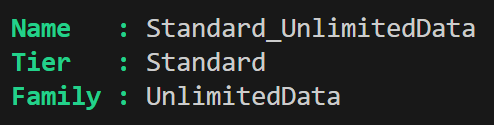
(Get-AzExpressRouteCircuit -ResourceGroupName $ResourceGroupName -Name $CircuitName).Sku | fl *
The output would look something like this:
To change the SKU – here’s the PowerShell recipe:
# Interactive device login keeps the creds flow simple
Connect-AzAccount -UseDeviceAuthentication

# Substitute your own details
$Subscription       = "Subscription_Name"
$ResourceGroupName  = "ResourceGroup_Name"
$CircuitName        = "Circuit_Name"

Select-AzSubscription -Subscription $Subscription

# Pull the circuit object
$circuit = Get-AzExpressRouteCircuit -ResourceGroupName $ResourceGroupName -Name $CircuitName

# Downgrade the SKU
$circuit.Sku.Tier = "Local"

# Commit the change
Set-AzExpressRouteCircuit -ExpressRouteCircuit $circuit
What happens:
- The cmdlet updates the SKU tier in place.
- Azure’s back-end validates that you’re already on the Unlimited data family (required).
- Provisioning state flips to Updating for a minute or two, then back to Succeeded.
We saw the billing tier change within minutes and traffic kept flowing.
Verifying the downgrade
(Get-AzExpressRouteCircuit -ResourceGroupName $ResourceGroupName -Name $CircuitName).Sku | fl *
For belt-and-braces reassurance, open the circuit in the portal – the SKU field will now show Local (though you still can’t edit it there).
Gotchas & tips
| Issue | Fix / Work-around |
|---|---|
| Circuit on Metered data | Switch to UnlimitedData first; meter-to-unlimited is allowed, the reverse isn’t. Microsoft Learn |
| Need Global Reach later | You’ll have to upgrade back to Standard or Premium – the lifecycle isn’t blocked, but upgrades may attract a new 12-month term with your provider. |
| Multiple regions required | Stick with Standard or bump to Premium; Local limits you to one metro pair. Microsoft Learn |
| Portal still says Standard | Hard-refresh the blade or wait a few minutes for the cache to clear. |
Wrapping up
Switching an ExpressRoute circuit from Standard/Premium to Local is a quick win when your workloads live in the same metro and you’d rather not pay per-gig egress. With a single PowerShell tweak, we shaved our monthly bill and kept the change transparent to the business.
Give it a crack in your next maintenance window and let me know how you go.
 Marc Kean