
If you want to troubleshoot DSC (Desired State Configuration)… You can easily run a DSC config script locally on your computer, apply the MOF manually on-demand and watch it apply in realtime as per the below.
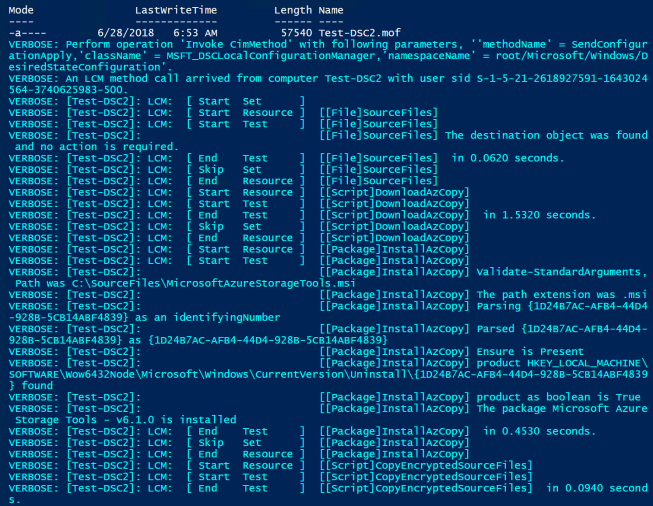
The below are the lines of PowerShell code you need for testing. First though, make sure you run the entire DSC Configuration block of code – so it’s in memory, similar to how a function behaves. In the example below, my DSC configuration file is called ‘Main‘.
This file contains hidden or bidirectional Unicode text that may be interpreted or compiled differently than what appears below. To review, open the file in an editor that reveals hidden Unicode characters.
Learn more about bidirectional Unicode characters
| ################################################################################ | |
| ################## Compile the DSC Configuration & Generate the MOF file | |
| ################################################################################ | |
| $ComputerName = $env:COMPUTERNAME | |
| Main -nodeName $env:COMPUTERNAME -OutputPath "$env:USERPROFILE\Desktop" | |
| ################################################################################ | |
| ################## Apply the MOF file to the local computer | |
| ################################################################################ | |
| # DSC – Watch as it applies the MOF | |
| Start-DscConfiguration -Path "$env:USERPROFILE\Desktop" -ComputerName $ComputerName -Wait -Verbose -Force | |
| # LCM – Apply | |
| <# | |
| LCM stands for: (Local Configuration Manager) this congured the local machine for DSC, | |
| You could probably skip the LCM part in testing | |
| #> | |
| Set-DscLocalConfigurationManager -Path "$env:USERPROFILE\Desktop" -ComputerName $ComputerName -Verbose -Force | |
| # LCM – Check | |
| Get-DscLocalConfigurationManager | |
| ################################################################################ | |
| ################## Troubleshooting DSC Application | |
| ################################################################################ | |
| Get-Job | fl * | |
| # Last DSC events, newest to oldest | |
| Get-WinEvent -LogName "Microsoft-Windows-Dsc/Operational" | select -first 20 | fl Message, time* | |
| ################################################################################ | |
| ################## Troubleshooting DSC Modules | |
| ################################################################################ | |
| Find-Module -Filter 'xRemoteFile' | fl * | |
| Install-Module -Name 'xRemoteFile' | |
| Get-DscResource -Name 'Registry' -syntax |
If you want a full demo of DSC, check out my other blog.
 Marc Kean